




Manuel Octavio Bermúdez was born in Trujillo, Valle del Cauca, Colombia in 1961 and was orphaned after birth. He was adopted by an abusive mother who threw him off a balcony, breaking his hand and foot. This gave him a permanent limp. He was given to another family in the city of Palmira. His new parents were alcoholics and his father was described as abusive. Bermudez later had several kids of his own. Bermúdez raped and killed at least 21 children in several towns of Valle del Cauca from 1999 to 2003. He had worked as an ice cream vendor and would lure his victims to corn fields with offers of money for picking corn. Bermúdez would then rape and strangle them to death while sometimes injecting them with a syringe to drowsy their legs. The mother of 12 year old Luis Carlos Gálvez reported his disappearance and Bermúdez had been seen with him. He was arrested on July 18, 2003. Investigators inspected a room he had rented in El Cairo and found newspaper clippings of the murders, syringes, Lidocaine, and the wristwatch Luis Carlos Gálvez was wearing the day he disappeared. Bermúdez confessed to the murders of 21 children, 17 of whom were found and was sentenced to 40 years in prison on March 20, 2004. He is suspected of killing over 300 children.
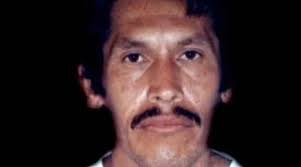
Serial Killer: Manuel Bermúdez (Monster of the Cane Fields)
By Midnight Man
· 1,996 views