



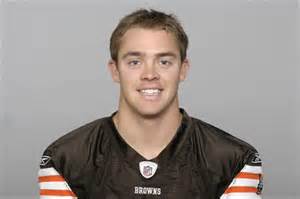

Washington Redskins quarterback Colt McCoy has been cleared by doctors. McCoy had suffered an aggravated nerve in his neck in Sunday's 24-0 loss to St. Louis and couldn't finish the game. But he practiced all week and took every first-team snap Friday. Coach Jay Gruden called Friday's visit to a neck specialist a formality, as he said McCoy had not shown any reason to suggest he wouldn't play.
Gruden said the team wanted McCoy to see the doctor one more time "to make sure we're 100 percent sure there's no risk of him doing damage to his neck." The team wanted to know McCoy could withstand punishment during the game. In practice this week, McCoy showed no ill effects on the field when throwing the ball or running.
McCoy's neck was injured against the Rams on a Robert Quinn sack, but he stayed in for five more plays over two series. Robert Griffin III replaced him at the two-minute warning. If McCoy had been unable to play Sunday, Griffin would have gotten the start. Instead, McCoy will make his third straight start and fourth of the season. Gruden said that McCoy remains the best option for Washington (3-10). "His decision-making is the best right now because he's been in the NFL the longest," Gruden said. "His ability to see coverage, get the ball out, probably sets him ahead of the other guys by a little bit. That's really the No. 1 reason. He still has the mobility, obviously. He's a tough guy. He's a good leader, and players respond to him."