




Skip to content
View in the app

A better way to browse. Learn more.

The Midnight Zone

A full-screen app on your home screen with push notifications, badges and more.

To install this app on iOS and iPadOS
  1. Tap the Share icon in Safari
  2. Scroll the menu and tap Add to Home Screen.
  3. Tap Add in the top-right corner.
To install this app on Android
  1. Tap the 3-dot menu (⋮) in the top-right corner of the browser.
  2. Tap Add to Home screen or Install app.
  3. Confirm by tapping Install.

The Following Has Been Cancelled

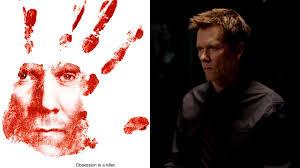
The Following is an American television drama series about a brilliant and charismatic, yet psychotic serial killer that communicates with other active serial killers and activates a cult of believers following his every command. The series has only enjoyed moderate success throughout its three seasons and the recent dip in ratings has caused the network to cancel it.


Thank Someone With An Amazon Gift Card: Just Click here

Important Information

Terms of Use

Account

Navigation

Search

Search

Configure browser push notifications

Chrome (Android)
  1. Tap the lock icon next to the address bar.
  2. Tap Permissions → Notifications.
  3. Adjust your preference.
Chrome (Desktop)
  1. Click the padlock icon in the address bar.
  2. Select Site settings.
  3. Find Notifications and adjust your preference.