




Skip to content
View in the app

A better way to browse. Learn more.

The Midnight Zone

A full-screen app on your home screen with push notifications, badges and more.

To install this app on iOS and iPadOS
  1. Tap the Share icon in Safari
  2. Scroll the menu and tap Add to Home Screen.
  3. Tap Add in the top-right corner.
To install this app on Android
  1. Tap the 3-dot menu (⋮) in the top-right corner of the browser.
  2. Tap Add to Home screen or Install app.
  3. Confirm by tapping Install.

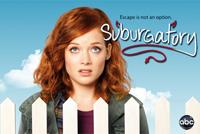
Good News For Revenge and Suburgatory!!

Revenge and Suburgatory both passed the ratings test last night with ample performances. Suburgatory drew 8.75 million viewers and a 3.0 rating in the adult demo, just a tick down from last week. Revenge did the unthinkable and grew to a 2.7 rating from last week's 2.4. I bet ABC execs couldn't wait to push the "pickup" button when they saw that number.

Just a quick note about Suburgatory: It's surprisingly good. Do check it out. As for Revenge, I find it to be a riveting drama with several familiar faces and suspenseful twists at every turn. It's worth a quick view!

Important Information

Terms of Use

Account

Navigation

Search

Search

Configure browser push notifications

Chrome (Android)
  1. Tap the lock icon next to the address bar.
  2. Tap Permissions → Notifications.
  3. Adjust your preference.
Chrome (Desktop)
  1. Click the padlock icon in the address bar.
  2. Select Site settings.
  3. Find Notifications and adjust your preference.