



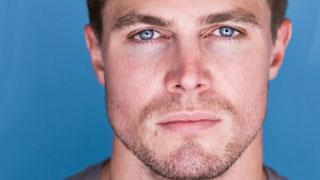

Michaela McManus makes her The Vampire Diaries debut on Thursday, Dec. 9, as Jules, a friend of Mason's who comes to Mystic Falls looking for him. Now, Stephen Amell has been confirmed as a guest star and what do you know? He has a connection to our dearly departed werewolf as well.
As first reported by E! Online, Amell will be playing Brady, who producers say is "an old friend of Mason Lockwood who blows into town with a vengeance. [He's a] loyal friend or your worst enemy depending on who you are. Did we mention he was hot?" A hot guy on "TVD"? What a nice change of pace for the show. No word yet on if Brady is a werewolf or not.
Amell will appear in two episodes, one of which he is filming now (episode 13). Clearly, he is going to be facing off against Damon Salvatore (Ian Somerhalder), so we suggest he buy some metal chest armor before rolling into town. We all know how much enjoyment Damon gets out of ripping out a heart, human or werewolf. He's all for equal opportunity.
Fun fact: Amell was recently up for the lead role in "Spartacus: Blood and Sand" (which is being recast after Andy Whitfield had to quit the show due to his battle with cancer.)
P.S. Don't fret! Carina MacKenzie is still your go-to girl for all things "TVD", including Matt Donovan-centric tweets. She just (gasp!) took the day off, so please put down the vervain and wolfsbane.